Three out of four restaurant inventory shortages come from inside the building, not outside it, according to the National Restaurant Association. Quick-service restaurants lose up to 7% of sales to employee theft alone, a number that can erase an entire year's profit margin in an industry that typically runs on 3-5%. A single unmonitored shift, one bad night at the register, or one missed health code violation can cost more than a security camera system would over its entire lifespan.
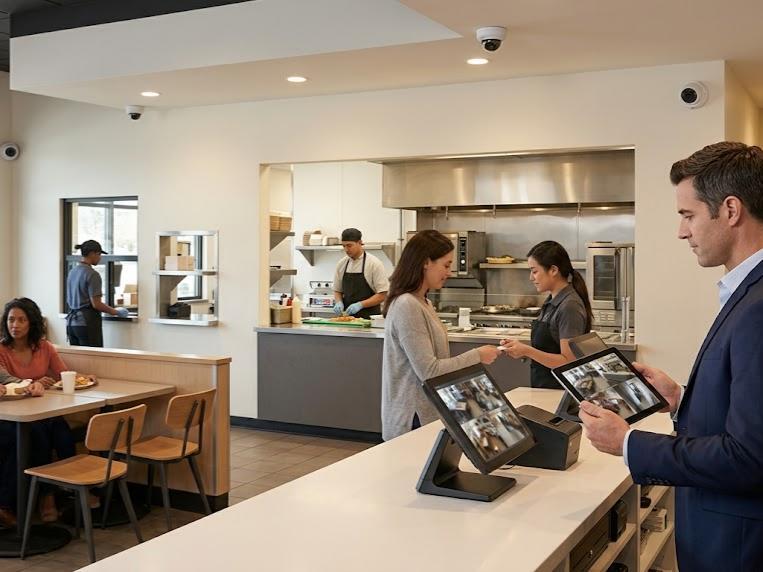
Restaurant security cameras have moved well past grainy footage and after-the-fact reviews. Verkada's cloud-based platform gives owners and operators a restaurant security camera system that watches the kitchen, the dining room, the drive-thru, and the back door at once, with AI-powered analytics that flag what matters without anyone scrubbing through hours of video. Kinettix installs and maintains that system across single locations and multi-unit groups alike, bringing the certified technicians and standardized process that make a security solution actually work the way it was designed to.
This guide covers what a restaurant security camera system needs to do, what separates the best security cameras for restaurants from the rest, and what professional installation looks like when it's done right the first time.
8 Best Practices For Building Security Camera Systems for a Business That Never Sits Still
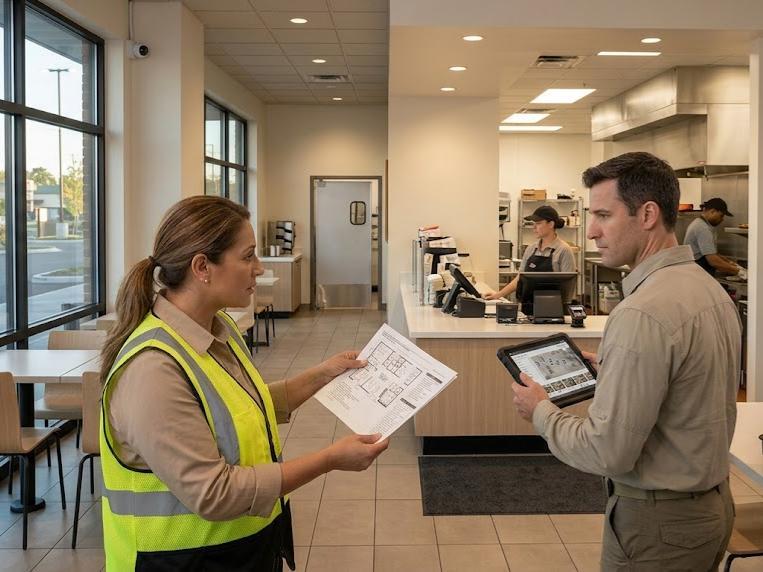
A restaurant security camera system makes or breaks its value based on decisions made before any hardware ships. Getting these choices right up front prevents the gaps and rework that show up months later. Here are the steps professionals will take in designing your security system:
-
Start with a detailed kitchen-to-curb coverage audit
Walk the entire property, from the parking lot to the walk-in cooler, and document every zone that needs a camera before designing the system. Skipping this step almost always means discovering a blind spot after something happens in it.
- Design the system around your actual cash and inventory movement patterns
Map where money and products physically move through the building, from delivery to register to back office. A camera system that follows this flow catches far more than one placed by guesswork.
- Coordinate across locations before scaling to additional sites
A single-location plan rarely translates cleanly to a second or third restaurant without adjustment. Building in coordination from the start avoids retrofitting a multi-site strategy after the fact.
- Lock in power and network infrastructure readiness from day one
Cameras depend on stable PoE power and sufficient network bandwidth to function reliably. Confirming this readiness before installation prevents cameras that go dark or drop footage once they're live.
- Plan for night-shift coverage as seriously as peak daytime operations
Closed restaurants and empty parking lots after hours are common targets for break-ins and vandalism. A system tuned only for daytime traffic leaves the riskiest hours unprotected.
- Build in excess camera capacity for future growth and menu expansion
A kitchen remodel, a new patio, or a second location can outpace a system designed with no room to grow. Planning extra capacity now avoids a costly redesign later.
- Establish clear retention and archival policies upfront
Decide how long footage needs to stay accessible before an incident forces that decision under pressure. Clear retention policies also keep the system aligned with any local recordkeeping requirements.
- Document every installation step for audits, compliance, and staff handoff
A written record of what was installed, where, and how it was tested protects the business during a health inspection, a legal dispute, or simple staff turnover. Without documentation, that knowledge walks out the door with whoever installed the system.
8 Advanced Security Cameras Verkada Brings to Every Corner of Your Restaurant
No single camera type covers a restaurant's entrance, kitchen, parking lot, and drive-thru equally well. Verkada's lineup of AI-powered cameras is built so each zone gets the camera style actually suited to it, rather than forcing one model to do a job it wasn't designed for.
|
Camera Style |
Ideal Applications |
|
Discreet ceiling-mounted coverage for dining rooms and prep areas where a low profile matters as much as image quality. |
|
|
Wide-angle coverage of large dining floors or open kitchens, reducing the total camera count needed for full-room visibility. |
|
|
Battery and LTE-powered coverage for parking lots, patios, or outdoor seating areas without existing network or power access. |
|
|
Compact, low-profile monitoring for tight kitchen corners, hallways, or storage rooms where a standard camera body won't fit cleanly. |
|
|
Long-range, directional coverage for back doors, loading docks, and drive-thru lanes that need a clear line of sight. |
|
|
Multiple camera angles in a single housing, ideal for intersections like a host stand that opens onto both the entrance and dining room. |
|
|
Pan-tilt-zoom control for large parking lots or multi-unit complexes where an operator may need to actively track movement. |
|
|
Hardened, high-security camera options for restaurants operating in high-crime areas or under stricter compliance requirements. |
Case Study: How Kinettix Brought Five Restaurants Onto One Verkada System Without a Single Service Disruption
A multi-location casual dining operator came to Kinettix with a familiar problem: five restaurants, five different kitchen layouts, and no consistent way to verify that a Verkada deployment at one location would look or perform like the deployment at another. Past vendor experiences had taught the operator's leadership that without a disciplined process, multi-site rollouts tend to drift, with quality and documentation varying from one technician to the next.
- Week 1: Planning Before a Single Camera Shipped
Before any equipment arrived on-site, Kinettix confirmed access plans, manager availability, and shift windows at all five restaurants. Each location received the same readiness checklist, covering network connectivity, PoE capacity, and viable mounting surfaces in both kitchen and dining areas. Two of the five sites surfaced infrastructure gaps during this phase, including insufficient network drops near the POS stations, and both were resolved before installation day rather than discovered mid-deployment.
- Weeks 2-4: One Process, Five Restaurants
Verkada-certified project managers installed cameras at each location using identical mounting principles, cable management standards, and device labeling conventions. A technician walking into the third restaurant followed the same sequence as the first, which is what kept quality consistent even as the team moved across different building layouts and different local conditions. Every device was tested for power, connectivity, and correct positioning before a site was marked complete.
- Closeout: A Record the Operator Could Actually Use
Each restaurant closed with the same documentation package: work completed, validation results, and any exceptions identified along the way. That consistency gave the operator's security and operations leadership a side-by-side record across all five locations instead of five different sets of notes in five different formats.
The result was a deployment the operator could repeat. Installation quality held steady from the first restaurant to the last, infrastructure issues were caught and resolved before they became costly mid-project surprises, and the closeout documentation gave leadership an auditable baseline for future expansion. When the operator opens new locations, the same process is ready to run again without rebuilding it from scratch.
Ready For Restaurant Security Camera Systems That Won't Leave You In The Dark?
A restaurant security camera system is only as good as the installation behind it, and a rushed or inconsistent setup leaves blind spots in exactly the areas that matter most. Kinettix brings certified Verkada technicians and a standardized installation process that gives every location, whether it's your first or your fifteenth, the same level of coverage and documentation.
Contact us today to talk through your restaurant's layout, your timeline, and how a Verkada deployment fits into your operation. Our team will scope the project around the zones that actually carry risk in your business, not a generic checklist. You'll get a clear plan before any equipment is ordered or any technician is scheduled on-site.
6 Qualities That Separate the Best Restaurant Security Cameras From the Rest
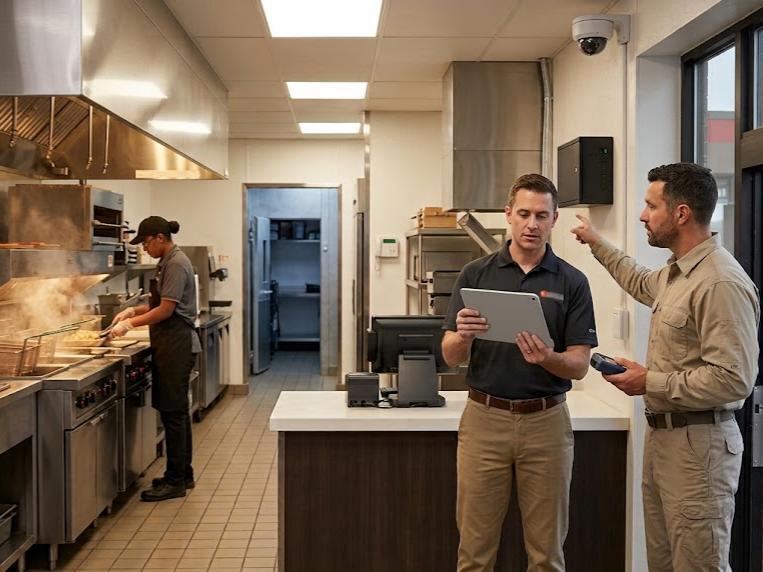
Not every restaurant security camera built for an office or retail floor holds up once it's mounted above a fryer or outside in a drive-thru lane. The best restaurant security cameras are built around the specific demands of a working kitchen and a busy dining room.
- AI-powered analytics that work in kitchen heat and low-light walk-ins
Heat distortion and dim storage areas can degrade footage from cameras not built for the environment. AI-powered models adjust for these conditions automatically instead of producing unusable video.
- True 4K or higher resolution without straining your network bandwidth
High resolution matters for identifying faces and license plates, but only if it doesn't overload the network supporting it. The best cameras compress footage efficiently so image quality and network performance don't trade off against each other.
- Local storage that doesn't depend on constant cloud connectivity
A restaurant with an unreliable internet connection still needs continuous recording even when the connection drops. Onboard storage keeps footage capturing locally and syncs to the cloud once connectivity returns.
- Integration-ready design for POS systems, alarms, and access control
A camera that operates in isolation misses the chance to flag a suspicious POS transaction or trigger an alert tied to a door sensor. Integration-ready cameras turn isolated footage into a connected security system.
- Weatherproofing rated for drive-thru conditions and loading dock exposure
Cameras mounted outside face rain, temperature swings, and direct sun that indoor-rated models aren't built to handle. Proper weatherproofing protects both the hardware and the footage quality over time.
- Field-upgradable firmware designed for 5+ years of operational life
Cameras that require manual on-site updates or full replacement every couple of years add ongoing cost and downtime. Field-upgradable firmware keeps a camera current and functional well past its first year of use.
The 6-Step Install-Day Sequence for Successful Restaurant Security
Installation day determines whether a restaurant security camera system performs the way it was designed to or leaves quiet gaps that surface weeks later. Following the same sequence at every site keeps quality consistent regardless of layout or location.
-
Map out every zone that handles cash, inventory, or food prep
This confirms the coverage plan against the physical space before a single camera goes up. Any mismatch between the design and the actual layout gets caught here instead of after installation.
- Plan cable routes that don't disrupt service during peak hours
Cable runs through a working kitchen or dining room need a path that avoids food prep lines and customer seating. Poor routing creates both a safety hazard and a maintenance headache later.
- Conduct a network load test to confirm capacity for video streams
Adding several cameras to a network already running a POS system and staff devices can overwhelm available bandwidth fast. Testing capacity before going live avoids a system that lags or drops footage once it's recording.
- Schedule installation during off-peak windows or closed hours
Installing cameras while a kitchen is running full service creates safety risks and slows down technicians. Scheduling around the restaurant's actual hours keeps the rollout efficient and service uninterrupted.
- Validate every camera's field of view against your coverage design
A camera mounted an inch off from its intended angle can leave an entire register or doorway out of frame. Checking field of view on-site, not just on paper, catches these gaps before they matter.
- Configure motion detection zones to reduce false alerts in busy areas
A dining room or drive-thru lane generates constant motion that can flood a manager's phone with irrelevant alerts. Tuning detection zones keeps notifications meaningful instead of background noise.
5 Professional Benefits Kinettix Brings To Every Security System Installation
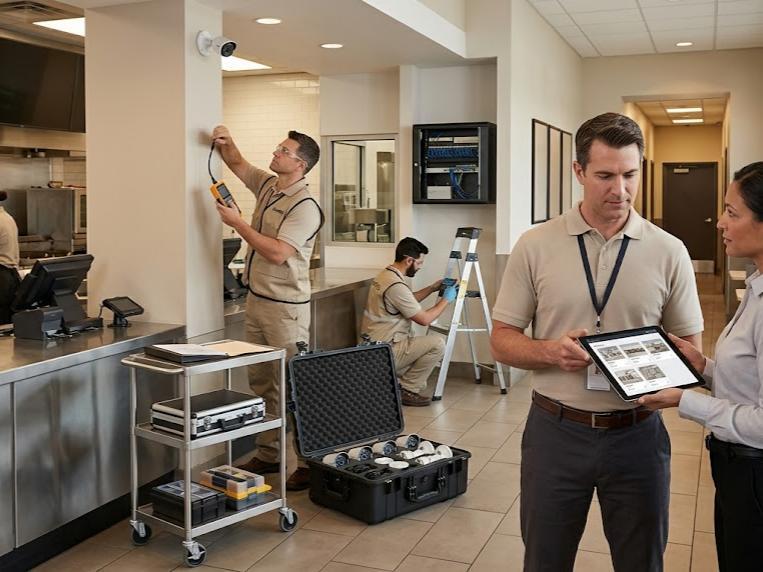
The technology behind a restaurant security camera system only delivers results if the installation behind it is handled correctly. Kinettix brings a set of operational advantages that most general contractors and in-house teams can't replicate.
-
Coordinated technician deployment across your entire location footprint
A single point of coordination manages scheduling and logistics across every site instead of leaving each location to figure out access and timing independently. That coordination keeps multi-site rollouts on schedule from the first location to the last.
- Standardized installation methods that scale without sacrificing quality
The same mounting, cabling, and configuration standards apply at every restaurant, regardless of which technician is on-site. Standardization is what makes a tenth location look and perform exactly like the first.
- Pre-visit site readiness validation and exception-driven reporting
Network capacity, power availability, and mounting surfaces get checked before installation day, not discovered during it. Any gaps found get documented as exceptions and resolved instead of quietly compromising the install.
- Dedicated project management from kickoff through final handoff
A single accountable project manager owns the timeline and communication for the entire engagement. That accountability prevents the fragmentation that happens when multi-site projects lack a consistent point of contact.
- Post-installation support and break-fix availability nationwide
A system's value depends on uptime, and uptime depends on having a responsive partner when something needs troubleshooting. Kinettix maintains field resources that can respond across any location in the deployment footprint long after installation is complete.
Your 7 Restaurant Security Questions, Answered Before You Sign a Contract
A restaurant security camera system touches budget, compliance, staffing, and daily operations all at once, and most owners have a specific set of questions before committing to one. The answers below cover what tends to come up first.
- How does a restaurant calculate the actual ROI of a security camera system?
ROI shows up in reduced shrinkage, fewer liability payouts, and measurable changes in staff behavior once cameras are in place. A Management Science study cited by Verkada found that restaurants saw a 7% revenue increase and a 22% reduction in identifiable theft after installing a security camera system, numbers that make the investment easier to justify against ongoing losses.
- What compliance or food safety regulations govern restaurant surveillance?
Most jurisdictions allow cameras in any public-facing or work area, including kitchens and dining rooms, but prohibit recording in restrooms or other areas with an expectation of privacy. Audio recording rules vary more by region, so it's worth confirming local requirements before activating microphones on any installed cameras.
- Can Verkada integrate with my existing POS platform (Toast, Square, etc.)?
Verkada supports integration with leading POS platforms through its open API, syncing transaction data with corresponding video footage. That connection lets managers pull up the exact footage tied to a suspicious void, discount, or refund instead of scrubbing through unrelated hours of video.
- What happens to video footage when I need to share it with law enforcement?
Verkada allows authorized users to export and share footage directly through Command, either as a downloadable clip or a secure link, without needing to physically hand over a hard drive. That process keeps chain-of-custody documentation clean for both criminal investigations and insurance claims.
- How often do I need to replace camera hardware, and what's the replacement cost?
Verkada cameras are designed for long operational lifespans with automatic firmware updates handled entirely through the cloud. Most hardware doesn't need replacement on a fixed schedule, since updates and maintenance happen remotely rather than through physical swaps.
- What staff training is required to use the system properly?
Most day-to-day use only requires a manager to know how to log into Command, search footage, and respond to an alert, which takes a short training session rather than ongoing instruction. More advanced features like POS integration or custom alert rules are typically configured once during installation rather than managed by on-site staff.
- If I start small with a few locations, can I expand the system later?
Verkada's cloud-based architecture is built for exactly this kind of phased rollout, letting new locations join the same Command organization without new servers or licensing rebuilds. Kinettix structures installations the same way, so a five-location deployment today can scale to fifty without restarting the process from scratch.
Ready for Restaurant Security That Doesn't Depend on Luck? Let's Talk
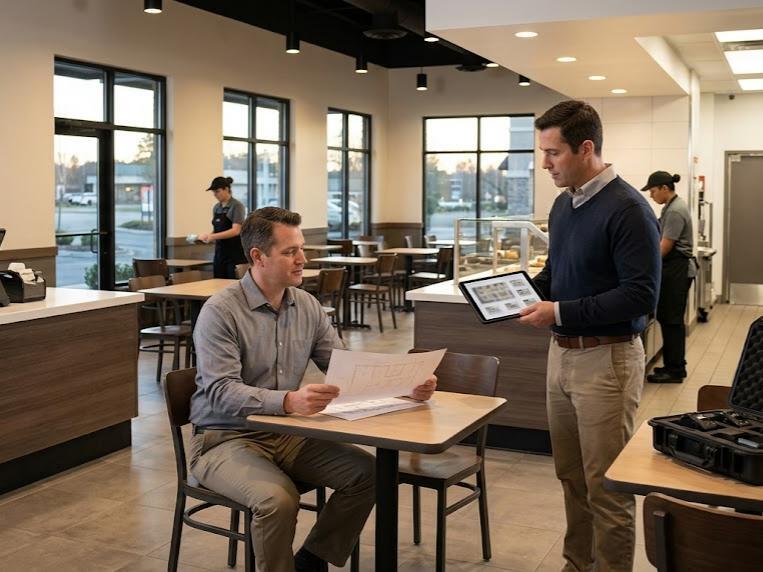
A restaurant security camera system shouldn't be something you only think about after an incident already happened. Kinettix pairs Verkada's AI-powered platform with certified installation and standardized deployment, giving your restaurant coverage that holds up whether you operate one location or fifty.
Contact us today to talk through your current setup, your locations, and what a properly installed restaurant security camera system actually looks like for your business. We'll scope the project around your real layout and your real risk areas. You'll walk away with a clear plan, not a generic sales pitch.