
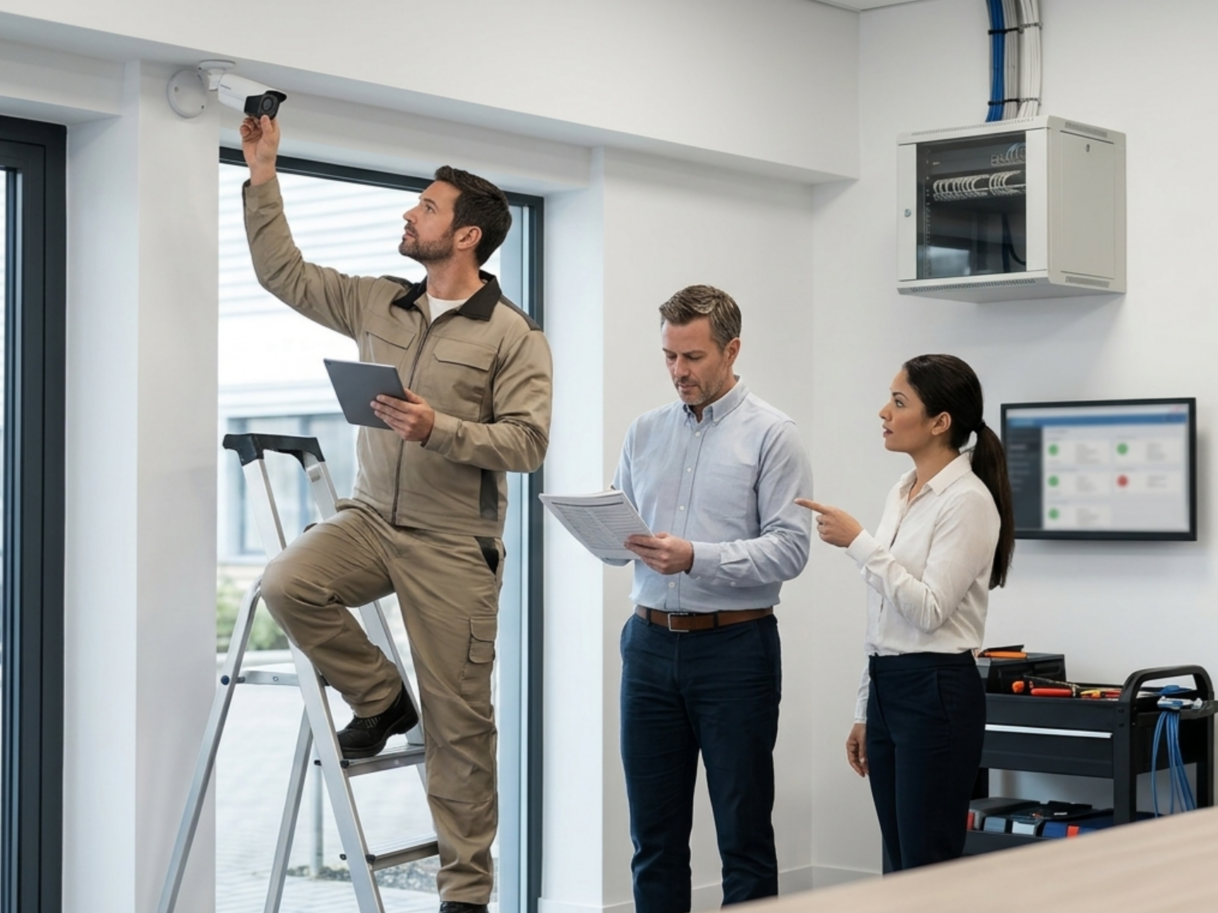
When something goes wrong, you need your cameras to be sharp and ready to catch the details. In a study published in the European Journal of Criminal Policy and Research, it was found that in over 250,000 criminal cases, it was cited that CCTV footage was available in 45% of those cases and actively helpful in 65% of the cases in which it was available. If you've got a broken lens, a suboptimal sightline, or too little storage to even retain this footage, then the valuable investment of your camera equipment is of no use to you.
Professional camera maintenance protects:
- The cabling that keeps a system online
- The firmware that keeps a network secure
- The documentation that turns raw footage into usable evidence
Neglecting any one of these creates exactly the kind of vulnerability that surfaces at the worst possible moment.
What follows is the nine-task maintenance routine, the cadence for running it, and the signs that tell you when a system is worth repairing versus replacing. This framework is also the one that Kinettix's field techs run at every site they service.
9 Maintenance Tasks, 1 Checklist: The Complete Camera Upkeep Routine for Any Site
Making sure your camera system is consistently functional isn't especially difficult, but it demands a strong understanding of how your system deteriorates over time, as well as a consistent effort to keep it running smoothly. Here are the nine most important points to make sure your standard maintenance routine hits in order to ensure maximum productivity:
- Clean Camera Lenses and Housings
Dust, condensation, grime, and other obstructions build up on lenses and housings over time, gradually degrading image quality until footage becomes unusable exactly when it matters. A simple wipe-down with a microfiber cloth during each visit keeps the field of view clear and sharp.
- Inspect Mounts and Positioning for Drift
Wind, vibration, and accidental contact can nudge a camera out of its intended angle without anyone noticing until a blind spot opens up. Regular inspection confirms every camera still covers the zone it was originally installed to protect.
- Check Cables and Connections for Wear
Cabling exposed to weather, foot traffic, or rodents corrodes and frays from ordinary wear and tear faster than most business owners expect, and a single bad connection can take a camera offline entirely. Inspecting cables and wiring at each visit catches damage before it turns into a system failure.
- Test Power Supply and Battery Health
A camera is only as reliable as the power feeding it, and a failing power supply or battery often shows warning signs long before it fails completely. Testing voltage and battery health during routine visits prevents the kind of sudden outage that leaves a site unprotected.
- Verify Network Connectivity and Bandwidth
IP cameras depend on a stable network connection, and bandwidth strain from added devices or nearby interference can quietly degrade footage transmission over time. Verifying connectivity and speed keeps footage streaming and recording without interruption.
- Apply Firmware and Software Updates
Manufacturers release firmware updates to patch security vulnerabilities and improve performance, and skipping them leaves a surveillance system exposed to unauthorized access. The Cybersecurity and Infrastructure Security Agency (CISA) has published advisories on exactly this kind of exposure in IP and CCTV cameras from vendors including AVTECH, Pelco, and Honeywell, ranging from authentication bypass to remote command injection.
Applying software and firmware updates on a consistent schedule keeps the system both secure and current.
- Audit Storage Capacity, DVR/NVR Health, and Backup Integrity
Recording infrastructure that runs out of storage capacity or overheats can silently stop capturing footage without any visible warning to staff on-site. Auditing DVR, NVR, and backup systems confirms footage is actually being saved and retained as expected. Most enterprise storage practices follow a 3-2-1 backup standard: three copies of critical footage, on two different media types, with one stored off-site.
- Review Footage Quality and Field of View
Even a properly cleaned and positioned camera can produce degraded footage if focus settings drift or lighting conditions change throughout the year. At minimum, that record should log the date, technician name, tasks completed, parts replaced, firmware versions applied, and any issues flagged for follow-up.
Reviewing playback quality confirms the system is still capturing clear, usable footage rather than just recording something.
- Complete a Full Documentation and Reporting Pass
Every maintenance visit should leave behind a record of what was inspected, what was repaired, and what still needs attention before the next visit. Thorough documentation protects a business during insurance claims and gives future technicians a clear history to work from.
At a Glance: Optimal Maintenance Cadence
Just because a particular part of a maintenance plan is essential doesn't mean you have to worry about it every time you walk in the doors. Some depreciation happens much faster or much slower than other forms of deterioration. This is when we recommend your schedule different parts of regular maintenance:
|
Cadence |
Recommended Tasks |
Why It Matters |
|
Daily |
Confirm all cameras are online and actively recording. Review system alerts or offline notifications. |
A dead camera caught the same day prevents a gap in coverage from becoming the exact window a break-in or liability incident happens in. |
|
Weekly |
Spot check live feeds for image clarity. Confirm storage devices are recording without errors. |
Weekly checks surface lens obstructions, sudden angle shifts, and storage errors before they turn into a blind spot during an actual event. |
|
Monthly |
Clean lenses and housings. Inspect mounts for drift. Verify network stability & bandwidth. |
Monthly cleaning keeps footage sharp between deeper visits, and mount checks catch cameras nudged out of position by wind, vibration, or accidental contact. |
|
Quarterly |
Inspect cabling & connections. Test power supply and battery health. Apply firmware and software updates. |
Quarterly visits address the vulnerabilities that build up gradually: corroded connectors, outdated firmware, and power fluctuations that stay invisible until a camera fails. |
|
Annually |
Run a full system diagnostic. Audit footage and storage capacity. Deliver a professional performance report with upgrade recommendations. |
An annual deep dive gives decision-makers the data they need to budget for replacements before aging equipment becomes a liability instead of an asset. |
|
Seasonal / Situational |
Weatherproof outdoor housings before winter. Inspect for storm or heat damage after major weather events. Trim vegetation blocking fields of view. |
Outdoor cameras degrade faster than indoor units, and a proactive seasonal check prevents the exact conditions that cause a system to fail right when it's needed most. |
Camera Maintenance Best Practices: 7 Habits That Keep Surveillance Sharp Year-Round
Maintenance tasks only work as well as the strategy that organizes them, and a handful of habits separate businesses with reliably sharp surveillance from those constantly troubleshooting gaps. These practices turn a maintenance checklist into an actual maintenance strategy.
- Build a Maintenance Schedule Around Risk, Not Convenience
High-traffic entrances, cash handling areas, and outdoor cameras exposed to weather face more wear than a camera monitoring a quiet hallway, and they deserve more frequent attention. Structuring a maintenance schedule around actual risk keeps resources focused where system failure would hurt the most.
- Document Every Visit With Dated, Detailed Records
A maintenance history that only lives in someone's memory disappears the moment that person changes roles or leaves the company. Dated, detailed records create a paper trail that supports insurance claims, audits, and future troubleshooting.
- Assign a Single Point of Accountability for Every Camera
When no one owns a specific camera, small issues get noticed by everyone and fixed by no one. Assigning clear accountability for each device or zone closes that gap and speeds up response when something needs attention.
- Train On-Site Staff to Spot Early Warning Signs
Staff on the ground see a camera every day and are often the first to notice a shifted angle, a flickering feed, or an obstruction. A short training session equips them to flag issues between scheduled maintenance visits instead of waiting for the next audit.
- Prioritize Critical Cameras Over Low-Risk Zones
Not every camera protects equally valuable ground, and treating them all identically wastes attention on low-risk zones while critical coverage goes unchecked. Prioritizing based on what each camera actually protects keeps maintenance effort proportional to what's at stake.
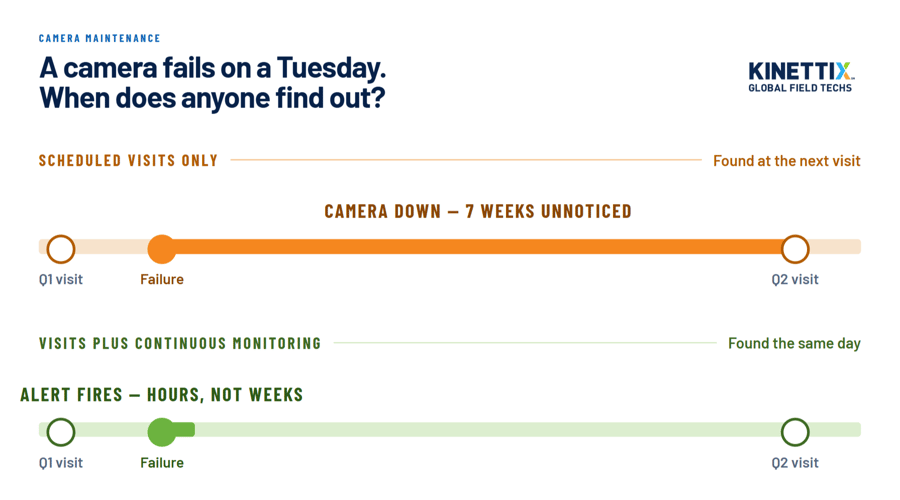
- Pair Scheduled Visits With Continuous Remote Monitoring
Scheduled visits alone leave gaps between appointments where a camera can go offline without anyone knowing, creating exactly the kind of downtime a business can't afford. Pairing those visits with remote monitoring and alert systems catches failures the moment they happen instead of weeks later.
- Partner With Certified Technicians for Deeper Diagnostics
Surface-level cleaning catches obvious problems, but diagnosing firmware conflicts, network instability, or failing hardware components requires a trained eye. Certified technicians bring the diagnostic depth that in-house staff typically aren't equipped to provide.
8 High-Stakes Industries Where Routine Maintenance Is A Must
While specific applications may vary across industries, the benefits of reliable security can't be understated in any working environment. No matter where you're located or what you're offering, we know how to make sure your workspace is well watched over. The following are a few industries we've specialized in:
|
Industry |
Highest-Risk Zone |
Kinettix Solution |
|
Retail |
Point-of-sale terminals & entry/exit doors |
Scheduled multi-site visits that keep every register and doorway in frame |
|
Quick-Service & Full-Service Restaurants |
Drive-thru windows & back-of-house cash areas |
After-hours maintenance windows that never interrupt service |
|
Warehousing & Distribution Centers |
Loading docks & high-value inventory zones |
Certified technicians covering sprawling facilities without disrupting fulfillment |
|
Manufacturing |
Production lines & equipment safety zones |
Preventive maintenance scheduled around plant shift changes |
|
Healthcare Facilities |
Medication storage & restricted-access wings |
Compliance-aware technicians trained for sensitive environments |
|
Financial Services & Banking |
Teller lines, vaults & ATM vestibules |
Regulatory-grade documentation on every maintenance visit |
|
Data Centers |
Server rooms & restricted entry points |
Technicians vetted for high-security facility access |
|
Convenience Stores & Fuel Stations |
Registers, coolers & exterior pump islands |
Rapid-response coverage across high-turnover, high-traffic sites |
Every Industry Above Has One Thing in Common: They Can't Afford to Wait on Maintenance
If you're not sure your cameras are up to the task, the last thing you want is to realize they weren't in hindsight. No matter your industry, a proper maintenance plan will give you the security of knowing your cameras are always working as intended when disaster strikes.
Kinettix coordinates certified technicians who understand what each industry actually needs from a maintenance visit, from compliance documentation to after-hours scheduling. Reach out now and see how Kinettix can ensure your security infrastructure is ironclad
Same Goal, Different Rules: Maintaining IP vs. CCTV Camera Systems
IP and CCTV may both be forms of camera surveillance, but the applications and upkeep can vary drastically between them. If you're wondering which style is best for your locations, here are key differences in ideal usage and maintenance requirements:
|
Maintenance Factor |
IP Camera Systems |
CCTV Systems |
|
Primary Owner |
IT teams |
Facilities or security personnel |
|
Network Involvement |
Requires bandwidth & connectivity checks |
Minimal to none |
|
Updates Required |
Firmware & software patches |
Rare firmware, mostly hardware-based |
|
Cybersecurity Exposure |
Higher, requires network hardening |
Lower, largely isolated from IT networks |
|
Cabling |
Ethernet / PoE runs |
Coaxial cabling |
|
Storage |
Cloud or NVR-based |
DVR-based, on-site |
|
Scalability |
Easier to expand across sites |
More labor-intensive to scale |
From Blurry Footage to Dead Feeds: 5 Common Issues a Proactive Maintenance Plan Prevents
A total camera system failure doesn't happen spontaneously or simultaneously, so keeping your eye on your equipment for vulnerabilities and early signs of decay is the number one way to stop problems before they shut down operations.
|
Symptom |
Likely Cause |
Downstream Consequences |
The Fix |
|
Blurry or grainy footage |
Dirty, scratched, or fogged camera lens |
Unusable evidence for insurance claims, theft investigations, or liability disputes |
Scheduled lens cleaning & housing inspections that catch degradation before an incident occurs |
|
Unexplained blind spots |
Camera drift from wind, vibration, or accidental contact |
Unmonitored zones where theft, injury, or vandalism go completely unrecorded |
Routine positioning checks that catch drift and obstructions before coverage gaps form |
|
Missing or gapped recordings |
Full storage drives or unstable power supply |
Critical footage lost right when it's needed most for an investigation |
Regular storage audits & power supply testing that catch failures before data is lost |
|
System vulnerable to intrusion |
Outdated firmware or unpatched software |
Exposure to cyberattacks, unauthorized access, or a compromised network |
Quarterly firmware & software updates that close vulnerabilities before they're exploited |
|
Total camera or system outage |
Frayed, corroded, or improperly managed cabling |
Full loss of coverage at the exact location that needed it most |
Scheduled cable & connection inspections that catch wear before it causes failure |
Time to Upgrade? 6 Signs Your System Isn't Worth Repairing
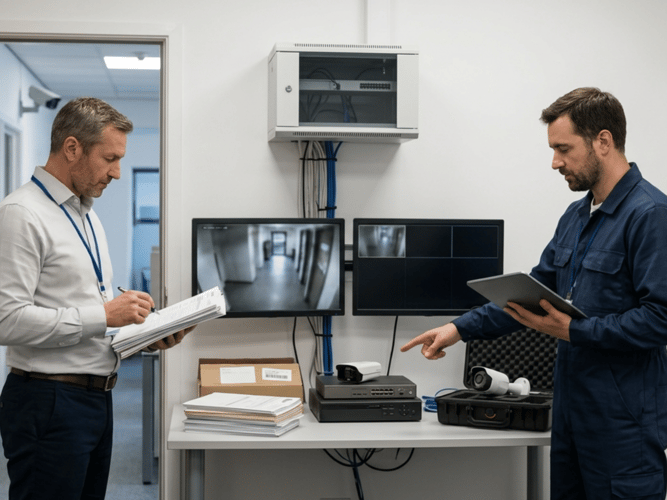
Maintenance extends the lifespan of a security camera system, but no amount of upkeep can fix a system that has genuinely reached the end of its useful life. These signs indicate when replacement is the more cost-effective path forward.
- Repair Costs Are Approaching the Price of Replacement
When a single repair visit costs a meaningful percentage of what a new camera would cost installed, continuing to patch the old system stops being cost-effective. Tracking cumulative repair costs against replacement pricing makes that crossover point easy to spot.
- Your Manufacturer No Longer Supports the Hardware
Once a manufacturer discontinues support, replacement parts become harder to source and firmware updates stop altogether, leaving known vulnerabilities unpatched. A system without manufacturer support is running on borrowed time regardless of how well it's been maintained.
- Resolution Falls Short of Modern Identification Standards
Security-industry benchmarks generally call for at least 40-80 pixels per foot at the point of interest for reliable facial identification: a threshold most cameras installed before 2018 fall well short of. If footage consistently falls short of that standard, no amount of cleaning or repositioning will fix the underlying hardware limitation.
- The System Can't Integrate With Newer Security Technology
Modern features like motion detection, cloud storage, and remote access require hardware and software that older systems simply weren't built to support. A system that can't integrate with current technology limits a business's ability to modernize its broader security posture.
- Downtime Keeps Recurring Despite Ongoing Repairs
A camera or recorder that keeps failing after repeated repairs is usually signaling a deeper hardware issue rather than a series of unrelated problems. Recurring downtime despite consistent maintenance is one of the clearest signs that repair has stopped being the right investment.
- Storage or Bandwidth Can No Longer Keep Up With Demand
As camera counts and resolution increase, older storage infrastructure and network bandwidth often can't keep pace, leading to dropped footage or throttled performance. When storage capacity becomes a constant bottleneck, upgrading the underlying infrastructure becomes more practical than continuing to work around it.
Case Study: How One Verkada Deployment Set Up Every Site for Easier Maintenance
A multi-site industrial organization required an updated camera security system that could be installed without disrupting their daily operations. Even more so, they needed these installations to be enacted consistently across numerous locations with no variations in quality or specifications and a documentation profile across every site in the portfolio as new Verkada cameras went in.
Kinettix approached the deployment as a structured program rather than a series of individual visits. Each site followed the same sequence: pre-visit planning, onsite readiness validation, standardized installation, functional testing, and closeout documentation. Project Managers holding Verkada Technical Certifications used consistent mounting, cable management, and labeling practices at every location, and site-specific exceptions were documented rather than absorbed silently into inconsistent work.
That consistency paid off well beyond installation day. All sites were fitted with state-of-the-art surveillance technology with ample documentation to give the client all the oversight they could need into the details of their new security infrastructure. As such, all future maintenance or installations would be made significantly smoother by the outlines left behind by Kinettix's operation documents.
8 Questions Business Owners Ask About Camera Maintenance Service Before Signing On
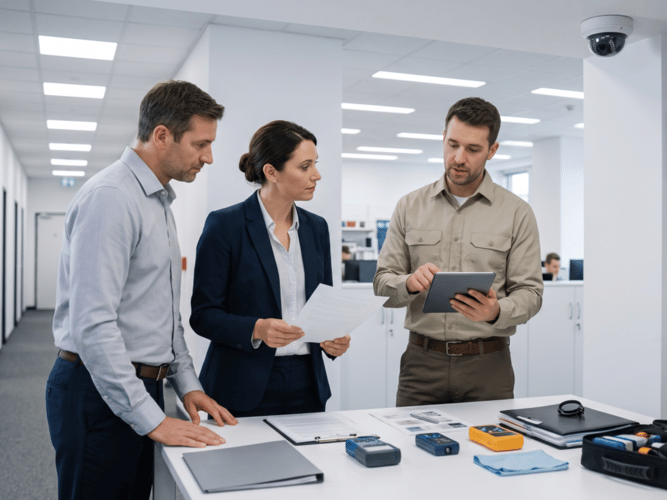
Still curious about the fine points of building a maintenance plan? We've been around the block and have heard just about every question you could ask, but here's a few of the most common to clear up any lingering concerns.
- Is DIY Camera Maintenance Ever a Safe Option for a Business?
Basic tasks like wiping down a lens or checking that a camera is online are reasonable for in-house staff to handle. Anything involving firmware updates, cabling, network configuration, or diagnosing a hardware failure is better left to a trained technician who can catch issues that aren't visible on the surface.
- How Much Does Commercial Camera Maintenance Typically Cost?
Maintenance costs vary based on the number of cameras, the complexity of the system, and how many sites need coverage. Most providers price service visits per site or per camera, and a multi-site business should request a scoped estimate rather than relying on a rough industry average.
- What Should Be Included in a Maintenance Service Agreement or SLA?
A solid commercial security camera maintenance agreement should define visit frequency, response times for emergency repairs, what tasks are covered versus billed separately, and how documentation gets delivered after each visit. Clear terms upfront prevent confusion about what a business is actually paying for.
- How Long Does a Typical Maintenance Visit Take Per Site?
A routine maintenance visit for a standard commercial site typically takes a few hours, depending on the number of cameras and whether any repairs come up during inspection. Sites with more cameras or more complex infrastructure naturally take longer to service thoroughly.
- Can Maintenance Be Coordinated Across Multiple Locations at Once?
Yes, and coordinating multiple sites is often more efficient than scheduling each one independently. A provider with a centralized dispatch model can align visit schedules across a portfolio, standardize documentation, and reduce the administrative overhead of managing separate vendors per site.
- What Certifications Should a Maintenance Technician Actually Have?
Look for technicians with manufacturer-specific certifications relevant to your camera platform, such as Verkada Technical Certifications, along with general IT credentials like CompTIA Network+. Certifications confirm a technician has been trained on the specific hardware and software your system runs on, not just surveillance equipment in general.
- Does Maintenance Cover Storm, Vandalism, or Accidental Damage?
Routine maintenance typically covers inspection, cleaning, and preventive upkeep, while storm damage, vandalism, or accidental breakage usually falls under a separate repair or insurance process. It's worth confirming with your provider exactly where scheduled maintenance ends and billable repair work begins.
- How Does Camera Maintenance Differ From Remote Video Monitoring?
Camera maintenance keeps the physical hardware and system infrastructure functioning properly, while remote video monitoring involves someone actively watching live or recorded footage for security events. The two services often work together, but one doesn't replace the other.
Stop Reacting, Start Maintaining: Upgrade to a Reliable Maintenance Partner
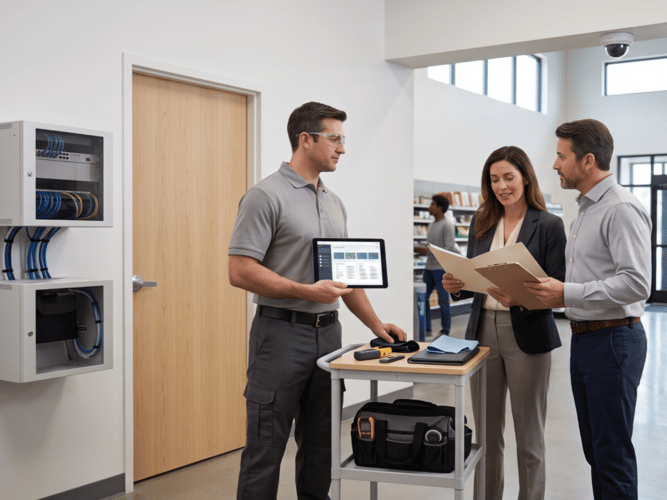
A business security camera system is only as reliable as the maintenance behind it, and reactive fixes always cost more than a scheduled visit would have. Kinettix brings certified technicians and a documented maintenance strategy to every site, from a single location to a national portfolio. Our team handles the inspections, firmware updates, cable checks, and reporting that keep commercial security cameras performing the way they were designed to.
As camera systems increasingly ship with onboard AI analytics, "maintenance" is starting to mean more than clean lenses and current firmware. It means keeping the models behind motion detection and access alerts tuned to how a site actually operates. That's the next layer worth asking a provider about.
Contact us to build a maintenance strategy that keeps your surveillance system dependable, well-maintained, and ready when it matters most.